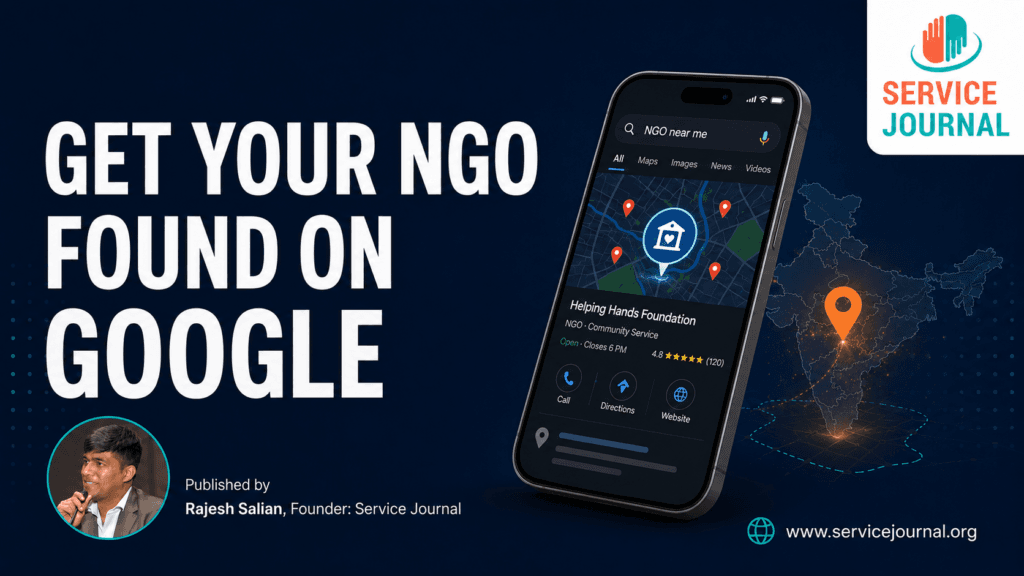
When someone searches “NGO near me,” “children’s NGO in Mumbai,” or “blood donation organisation in Andheri,” does your organisation appear?
Many NGOs do meaningful work but remain difficult to find online. A well-maintained Google Business Profile can help nearby donors, volunteers, beneficiaries and CSR teams discover your organisation through Google Search and Maps—without spending money on advertising.
Why local Google visibility matters
People often search when they are ready to act. They may want to donate materials, volunteer, refer a beneficiary or locate a trustworthy organisation nearby.
Google says local results are primarily influenced by three factors:
- Relevance: How closely your profile matches the search
- Distance: How close the organisation is to the searcher
- Prominence: How established and trustworthy the organisation appears online
Complete information, photographs, reviews and links from other websites can improve these signals. Google Business Profile guidance
1. Check whether your NGO is eligible
Before creating a profile, confirm that your organisation meets Google’s eligibility rules. Generally, an organisation should make in-person contact with people during its stated operating hours. Google’s eligibility guidelines
An NGO may qualify if it:
- Operates from a staffed office that visitors can access
- Runs a centre, clinic, school, shelter or community facility
- Meets beneficiaries or provides services within defined local areas
Do not create a misleading location using a virtual office, postal address or unstaffed premises.
If your NGO works in the field and does not receive visitors at its office, you may be able to hide the address and show an appropriate service area instead.
2. Create or claim the profile
Search Google and Google Maps using your NGO’s name and city. An existing listing may already have been created from publicly available information.
If you find it, select “Claim this business” or “Manage now.” If no listing exists, create one through Google Business Profile.
Google will offer the verification methods available for that particular profile. These can vary and may include video, phone, email or another method. Official setup instructions
Keep basic evidence ready:
- Registration or office documents
- Permanent signage displaying the NGO’s name
- Utility bill or official correspondence
- Access to the premises
- Evidence of programmes or services delivered there
The organisation’s name on the profile, signage and documents should remain consistent.
3. Complete every important field
A half-completed profile gives both Google and visitors limited information.
Add:
- Official NGO name
- Correct primary category
- Address or service area
- Working hours
- Telephone number
- Website
- Clear description
- Relevant services
- Social-media links, if available
Avoid filling the organisation’s name with keywords such as “Best NGO for Donations in Mumbai.” Use only the genuine name by which the organisation is publicly known.
A simple NGO description formula
Use this structure:
Who you are + whom you serve + where you work + what you do + how people can participate
Example:
Seva Udaan Foundation is a Mumbai-based nonprofit supporting education and nutrition for children from underserved communities. We work with schools and community partners across the western suburbs. Individuals and companies can support our programmes through volunteering, material contributions and CSR partnerships.
Write naturally. Do not repeat the same keyword excessively.
4. Select photographs that build trust
For an NGO, photographs are not merely decorative. They demonstrate that the organisation is active and credible.
Upload photographs of:
- Your office or centre
- Organisation signboard
- Team members
- Projects and events
- Volunteers in action
- Beneficiary activities, with proper consent
- Awards, partnerships and public programmes
Avoid publishing sensitive images of beneficiaries without consent. Photographs involving children require particular care and dignity.
Add new photographs regularly rather than uploading everything on one day and ignoring the profile afterwards.
5. Collect genuine reviews ethically
Ask people who have directly interacted with your organisation to share an honest review. Suitable reviewers could include:
- Volunteers
- Donors
- Programme participants
- Partner organisations
- Vendors
- Event attendees
- CSR representatives
Send them the direct review link after a genuine interaction. Never purchase reviews, create fake accounts or offer rewards in exchange for positive ratings.
Respond professionally to every review. Thank positive reviewers and address concerns calmly without disclosing confidential information.
6. Publish useful updates
Use profile updates to show that your NGO remains active.
Possible updates include:
- Upcoming camps and drives
- Volunteer opportunities
- Training programmes
- Project achievements
- Donation requirements
- Annual-report highlights
- Partnerships
- New resources or impact stories
Each update should have one clear purpose and one action, such as:
- Register as a volunteer
- Read the full impact story
- Contribute required materials
- Contact the project coordinator
- Visit the NGO’s website
7. Keep information consistent everywhere
Your NGO’s name, address and telephone number should appear consistently across:
- Website
- Google Business Profile
- Social-media pages
- NGO directories
- Registration listings
- Partner websites
- Digital letterheads
Inconsistent spellings, old telephone numbers and multiple unofficial versions of the address can confuse visitors and weaken trust.
8. Connect the profile to a strong website page
Do not always link visitors only to the homepage. Create useful pages for important activities, such as:
- Volunteer with us
- Donate
- CSR partnerships
- Current projects
- Contact us
- Impact stories
For example, an NGO conducting eye camps in Mumbai could create a page titled “Free Eye Camps in Mumbai” containing service areas, eligibility details, previous results, photographs and contact information.
A 30-minute monthly maintenance routine
Every month:
- Check the telephone number, hours and website link.
- Upload three recent photographs.
- Publish one meaningful update.
- Request reviews from recent genuine participants.
- Respond to unanswered reviews.
- Search your NGO’s name and important local phrases.
- Record calls, website visits and enquiries received.
Google Business Profile also provides performance information that can help you understand how people discover and interact with the listing.
Key takeaway
Your NGO does not need a large advertising budget to become easier to discover locally. It needs accurate information, genuine evidence of its work, consistent updates and a clear path for people to participate.
Treat your Google profile as a digital reception desk. Keep it trustworthy, current and welcoming.
For more practical tools, ideas and resources for NGOs, visit servicejournal.org/resources